
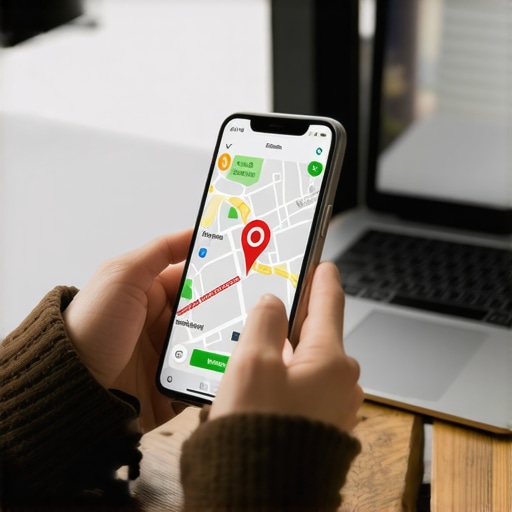
The pin moved. I smelled diesel exhaust and lukewarm coffee as I sat in my truck, staring at a screen that claimed my client, a master plumber, was located inside a community dumpster behind a strip mall. This was the start of the Reinstatement War. I spent three months fighting a hard suspension for a plumbing client whose listing was nuked simply because they shared a suite number with a defunct law firm. Google did not want proof of a van; they wanted proof of a utility bill under the exact GPS pin, an impossible task when the map itself was hallucinating. These errors are not just visual glitches. They are technical fractures in the local search index that can starve a business of leads. My job is to fix the flow. I treat Google Maps like a global dispatch system where a single misplaced coordinate creates a logistics nightmare. If the pin is wrong, your business does not exist in the eyes of the algorithm.
The ghost in the GPS coordinates
Fix a wrong Google Maps pin by using the suggest an edit tool or the Google Business Profile dashboard to manually adjust the marker location. Correcting latitude and longitude coordinates ensures that the Map Pack accurately represents your physical storefront entrance for mobile users and delivery logistics. Most owners assume the address text is the master record. It is not. The underlying spatial database relies on precise decimal degrees. When a pin drifts, it often lands in a centroid graveyard, a mathematical dead zone where the algorithm cannot decide which business owns that specific patch of concrete. This is why the hidden map factor no one mentions often involves the exact placement of your marker relative to the street curb. If your pin is behind the building, Google may think your entrance is inaccessible, lowering your proximity score. We must treat every millimeter of that map as high-value real estate. I have seen rankings vanish because a pin was moved fifty feet into a neighboring zip code by a rogue user edit. You need to monitor your coordinates like a fleet manager watches fuel levels. Errors here lead to the seo audit errors that are costing you phone calls every single day.
Why your physical address is a liability
A physical address becomes a liability when NAP inconsistency or shared suite numbers trigger a duplicate listing filter. Google uses spatial proximity to verify the legitimacy of a business, and overlapping pins in high-density commercial zones often result in automated suspensions or rank suppression. In the world of logistics, an address is a destination. In the world of SEO, an address is a trust signal. If you share a building with ten other companies, your pin is competing for the same signal space. This is where services to fix duplicate google business profiles become essential for survival. Google hates ambiguity. If the algorithm sees two businesses at the same coordinate, it will often hide the one with the weaker prominence score. I remember a case where a locksmith was hidden for six months because their pin overlapped with a pizza shop. The pizza shop had more reviews, so the locksmith was effectively erased. This is the reality of the map pack. You are not just fighting for keywords; you are fighting for the right to occupy a specific set of coordinates. Owners often make the business description mistake most owners make by trying to keyword stuff their address line, which only leads to more verification failures. You need a clean, surgical approach to location data.
“Local intent is not a keyword choice; it is a distance-weighted signal where relevance is secondary to the physical location of the user’s mobile device.” – Map Search Fundamentals
The three mile radius that determines your revenue
Proximity is the primary ranking factor in the modern Map Pack, often outweighing organic authority and review count. A business located within a three mile radius of a searcher has a significantly higher probability of appearing in the top three results compared to more distant competitors. The Vicinity update tightened the leash on service area businesses. It made the physical location of the searcher the center of the universe. If your pin is even slightly off, you might fall outside the magic circle of visibility. This is why I tell people that why your service area radius is actually hurting your visibility is often tied to how Google perceives your home base. If the pin is wrong, the radius calculation is flawed. For service providers, this is a disaster. You might be ranking in the suburbs when your actual customers are in the city center. You need local seo software to improve map pack rankings that can visualize this proximity heat map. I use these tools to find where the signal drops off. It is usually right at the edge of a neighborhood boundary or where a competitor has established a stronger spatial anchor. You cannot outrun the physics of the algorithm.
Local Authority Reading List
How to move the pin without killing your rank
Move a Google Maps pin by navigating to the Edit Profile section of your Google Business Profile dashboard and selecting the location tab. Manually drag the red marker to the exact entrance of your building to resolve navigation issues and improve local signal accuracy. Precision is the only way forward. When you drag that marker, you are rewriting the business’s identity in the local index. Do not move it more than a few hundred feet at a time if you can avoid it. Large jumps trigger the fraud filters. I once saw a business try to move their pin across town to a more lucrative zip code; they were suspended within ten minutes. If you are legitimately moving, you need the strategy for recovering rank after a business relocation to ensure your reviews and authority follow you to the new coordinates. You also need to verify that your website footer matches the new pin location. This is where why your website footer might be sabotaging your local rank becomes a technical reality. If the coordinates on the map do not match the structured data on your site, Google will lose trust. They want to see a unified signal across the entire web. This includes checking your the power of local schema markup for small business sites to ensure the latitude and longitude fields are populated correctly.
Dealing with the verification loop of death
The verification loop occurs when Google cannot confirm your physical presence at a location, often due to mismatched addresses or hidden service areas. Resolving this requires submitting official documentation such as utility bills, business licenses, or video evidence that matches the GPS coordinates on your profile. I have sat in my office for weeks waiting for postcards that never arrived. It is a broken system. If the pin is wrong, the postcard might be going to a different mailbox or a neighboring building. This is why you need to know how to verify a business without waiting for a physical postcard. Sometimes you have to force a video verification. You show them the street sign, the storefront, and the interior. It is forensic work. If you are working from a home office, you face even more hurdles. You must understand why your address verification is taking too long to avoid making the situation worse by resubmitting the request too many times. Every time you hit that button, you reset the clock. It is like a logistics queue. If you jump out of line, you go back to the start. Patience is a technical requirement in local search. If you are struggling, look into seo audit and penalty recovery services that specialize in the map layer. We know how to talk to the support teams who actually have the power to move the pin.
“A business is defined by its spatial coordinates in the local index, not just its textual description.” – Location Intelligence Whitepaper
The forensic trace of a service area polygon
Service Area Businesses (SABs) do not have a public pin, but their internal coordinates still dictate their visibility radius. Defining specific service areas via zip codes or city names creates a digital polygon that Google uses to match your business with local search queries. Even if your address is hidden, the location where you verified the business is the anchor point. If that anchor is wrong, your service area is floating in the wrong place. I see this often with contractors who move houses but forget to update their hidden base. They wonder why their leads dried up. It is because they are still anchored to their old neighborhood. You need the audit checklist for service area business gmb profiles to catch these drifts. We also see how to fix overlapping service areas on maps as a major issue for companies with multiple crews. If your polygons overlap, you are competing against yourself. It is a waste of resources. A clean map setup means each crew has their own territory, and Google sees a broad, authoritative presence rather than a cluster of confused signals. This is how you achieve the strategy for ranking in multiple service areas without getting flagged for spam. You must respect the boundaries of the map.
Why your map position changes depending on the street corner
Local search results are hyper-volatile, with the Map Pack often changing based on the user’s exact street-level position. This variance is driven by the real-time proximity filter, which prioritizes the nearest relevant business to provide the fastest possible solution for the mobile user. I tell my clients to walk around the block and search for themselves. The results change every fifty feet. This is the reality of why your map position changes depending on the street corner. If your pin is at the back of a large warehouse, you might lose out to a smaller shop that has its pin right on the main road. The algorithm calculates the walking or driving distance to that exact point. This is why the map pack move for mobile users that actually drives calls is often just moving the pin closer to the high-traffic side of the building. It is a tiny adjustment with massive consequences. You also have to consider the hidden impact of mobile site speed on map rankings. If a user is on a street corner with poor signal, a fast-loading local page will win the click. Logistics is about speed and accuracy. Your digital presence must follow those same rules. If you are slow or inaccurate, the user moves on to the next option.
Technical signals that force Google to trust your location
Establishing location trust requires more than just a verified pin; it demands a cluster of supporting signals including local schema, geo-tagged images, and customer-generated location data. Google uses these secondary data points to confirm that a business is physically active at its claimed coordinates. Images are the most underused tool in the kit. When a customer takes a photo at your shop, the EXIF data contains GPS coordinates. Google reads this. If hundreds of photos are being uploaded from your pin, Google knows you are real. This is why why your customer photos help more than your own is a core principle of modern local search. It is third-party verification. You should also be using the photo optimization move that drives real driving direction requests by showing clear shots of your storefront and parking. This helps users find you, which signals to Google that your pin is accurate. If people are clicking ‘driving directions’ and then arriving at your shop, that is a massive trust signal. Conversely, if they click directions and then cancel halfway there, Google thinks your pin is wrong. They track everything. Your physical performance in the real world is now a ranking factor. You can even use the best way to showcase product inventories on google maps to give people a reason to visit. Every successful visit reinforces your spatial authority.
Managing duplicate profiles in the same building
Duplicate business profiles at a single address create a conflict in the local index that often leads to both listings being suppressed. Resolving this involves merging the records via Google Support or deleting the unauthorized listing while ensuring the primary profile retains all historical reviews and ranking data. This is a common headache in commercial offices. An old tenant leaves, but their profile stays. Or an employee creates a second listing by mistake. You need the simple fix for duplicate business listings on google to clean this up. Do not just ignore them. They are like weeds in your garden. They suck the authority away from your main listing. I have seen companies lose 50 percent of their traffic because a duplicate profile was stealing half the reviews. You also have to watch out for how to handle competitor name spamming on google maps. Sometimes competitors will create fake listings at your address to confuse the algorithm. It is a dirty game. You need gmb review and reputation management toolkit strategies to monitor your territory. If you see something that does not belong, report it immediately. The map is a living document, and if you do not curate it, someone else will. Accuracy is the only defense against map-spam. Keep your pin sharp, your data clean, and your location verified. The leads will follow the coordinates.